中文简体
中文简体How Fiber Optical Cable Works
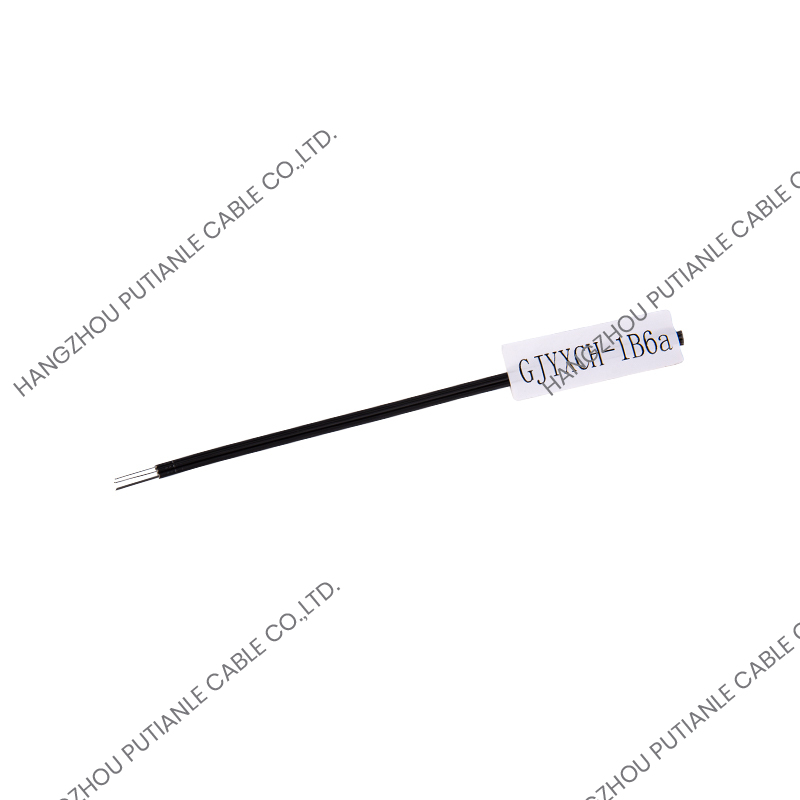
Fiber optical cable transmits data as pulses of light rather than electrical signals, using thin strands of glass or plastic at its core to carry information over long distances with minimal signal loss. Each strand consists of a light-carrying core surrounded by a reflective cladding layer, which causes light to bounce along the length of the fiber through a process called total internal reflection rather than escaping through the sides. This design allows fiber optic cable to transmit data at extremely high speeds while remaining immune to the electromagnetic interference that often affects traditional copper cabling.
Because light experiences far less signal degradation over distance compared to electrical current, fiber optical cable can carry data reliably over distances ranging from a few meters within a data center to over 100 kilometers in long haul telecommunications networks, depending on the fiber type and equipment used.
Single-Mode vs Multimode Fiber
Fiber optical cable is generally classified into two primary categories based on how light travels through the core. Understanding the differences is essential for selecting the right cable for a given network requirement.
| Feature | Single-Mode Fiber | Multimode Fiber |
| Core Diameter | Approximately 9 microns | 50 to 62.5 microns |
| Light Source | Laser | LED or laser |
| Maximum Distance | Tens of kilometers or more | Typically under 550 meters |
| Bandwidth | Very high, minimal signal dispersion | High, but limited by modal dispersion |
| Typical Cost | Higher equipment cost | Lower equipment cost |
Single-mode fiber is generally chosen for long distance backbone connections and telecommunications infrastructure, while multimode fiber remains popular for shorter runs within buildings, campuses, and data centers due to its lower equipment costs.
Common Connector Types
Fiber optic connectors join cable segments to equipment or to other cables, and choosing the correct connector type is essential for compatibility with existing hardware. The most widely used connector types include the following.
- LC connectors, which use a small form factor and push-pull latching mechanism, common in data centers and enterprise networks
- SC connectors, which feature a square push-pull design and remain widely used in telecommunications and networking equipment
- ST connectors, which use a twist-lock mechanism and are still found in some legacy installations
- MTP or MPO connectors, which bundle multiple fibers into a single connector, often used for high density data center applications
When upgrading or extending an existing fiber network, matching the new cable's connector type to the existing infrastructure avoids the need for additional adapters or costly equipment replacements.
Choosing the Right Fiber Cable for Your Application
Determine the Required Transmission Distance
Distance requirements are often the single most important factor in choosing between single-mode and multimode fiber. Short runs within a single building or between nearby racks in a data center typically perform well with multimode fiber, while connections spanning between buildings, campuses, or longer telecommunications links generally require single-mode fiber to maintain signal integrity.
Assess Current and Future Bandwidth Needs
Network bandwidth demands continue to grow over time, so it is worth considering not just current requirements but anticipated future needs when selecting fiber cable. Installing higher category multimode fiber, such as OM4 or OM5, or opting for single-mode fiber in new installations can provide headroom for future bandwidth upgrades without requiring a complete cable replacement.
Match Cable Construction to the Installation Environment
Indoor and outdoor fiber cables differ significantly in their jacket materials and construction. Outdoor rated cables typically include additional moisture barriers, UV resistant jacketing, and sometimes armored layers for protection against rodents or physical damage, while indoor cables prioritize fire safety ratings suitable for installation within building plenum spaces.
Installation and Handling Best Practices
Fiber optic cable requires more careful handling than traditional copper cabling due to its sensitivity to bending and physical stress. Following proper installation practices helps prevent signal loss and premature cable failure.
- Avoid exceeding the cable's minimum bend radius, since tight bends can cause micro-fractures in the glass core
- Use proper cable management hardware, such as raceways and trays, to prevent crushing or pinching during installation
- Clean connector end faces with appropriate fiber cleaning tools before mating, since dust or debris can significantly degrade signal quality
- Label cables clearly at both ends during installation to simplify future troubleshooting and maintenance
Maintenance and Troubleshooting Tips
Regular maintenance helps preserve fiber optic network performance over time. Periodically testing fiber links with an optical power meter or visual fault locator can identify degraded connections before they cause service disruptions, particularly in environments with frequent cable movement or harsh conditions.
When troubleshooting unexpected signal loss, checking for dirty or damaged connectors is often the first and most effective step, since contamination accounts for a significant share of fiber related performance issues. Keeping connector caps in place when cables are not actively connected and maintaining a clean installation environment further reduces the likelihood of contamination related problems, helping ensure that fiber optical cable continues to deliver reliable, high speed performance throughout its service life.